Open the file.
Understand how it was built.
This section brings together artwork prepared specifically for demonstration. You will be able to examine the channels, follow the print sequence, and test the file in your own production environment.
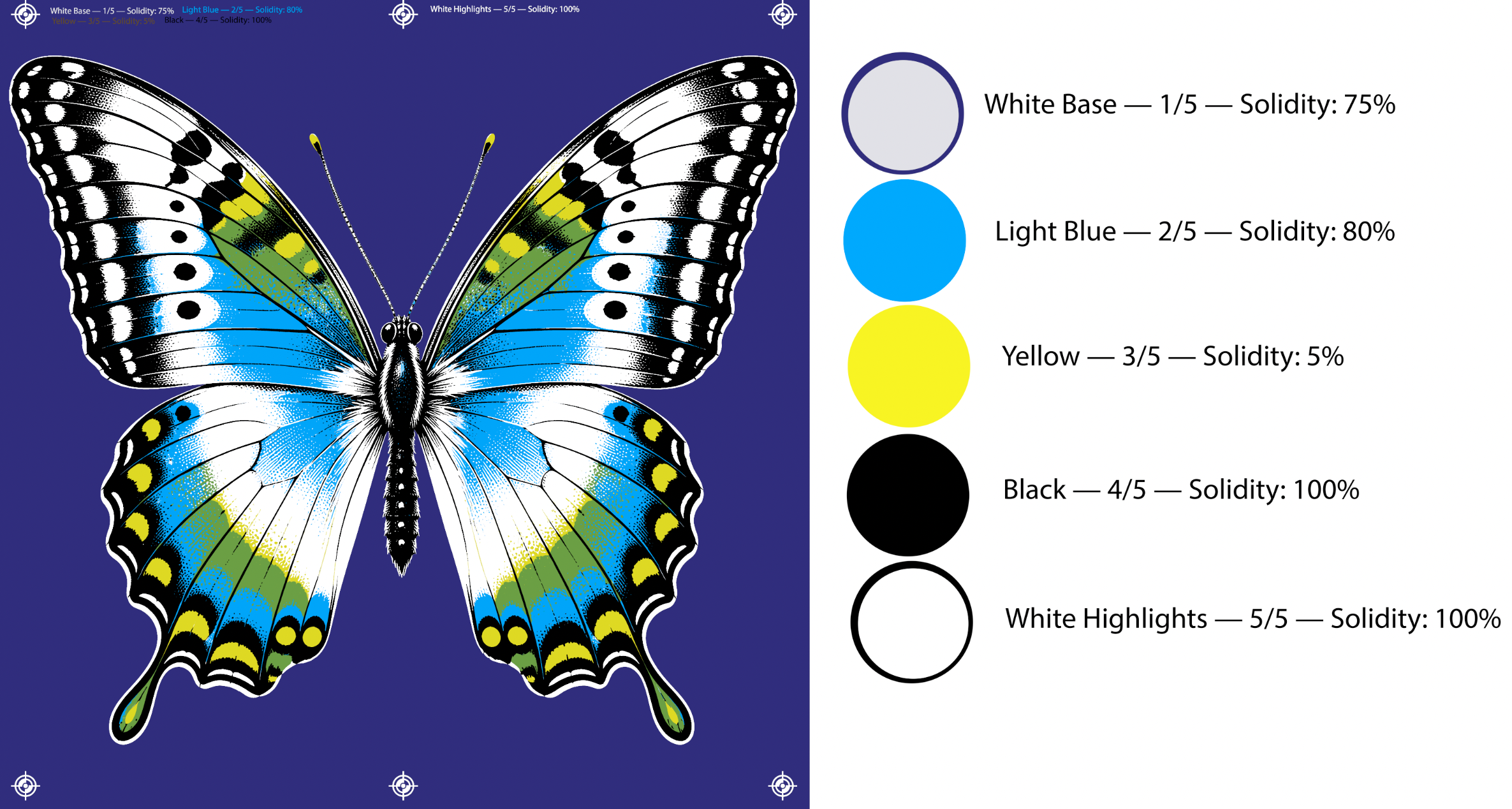
Five-screen color construction.
The example combines a white underbase, light blue, translucent yellow, black, and a highlight white. Printing the yellow over the blue also creates the green seen in the image.
The package will include:
- the original image used as the source;
- the separation file with its channels;
- the color sheet and print sequence;
- basic instructions for running the test.
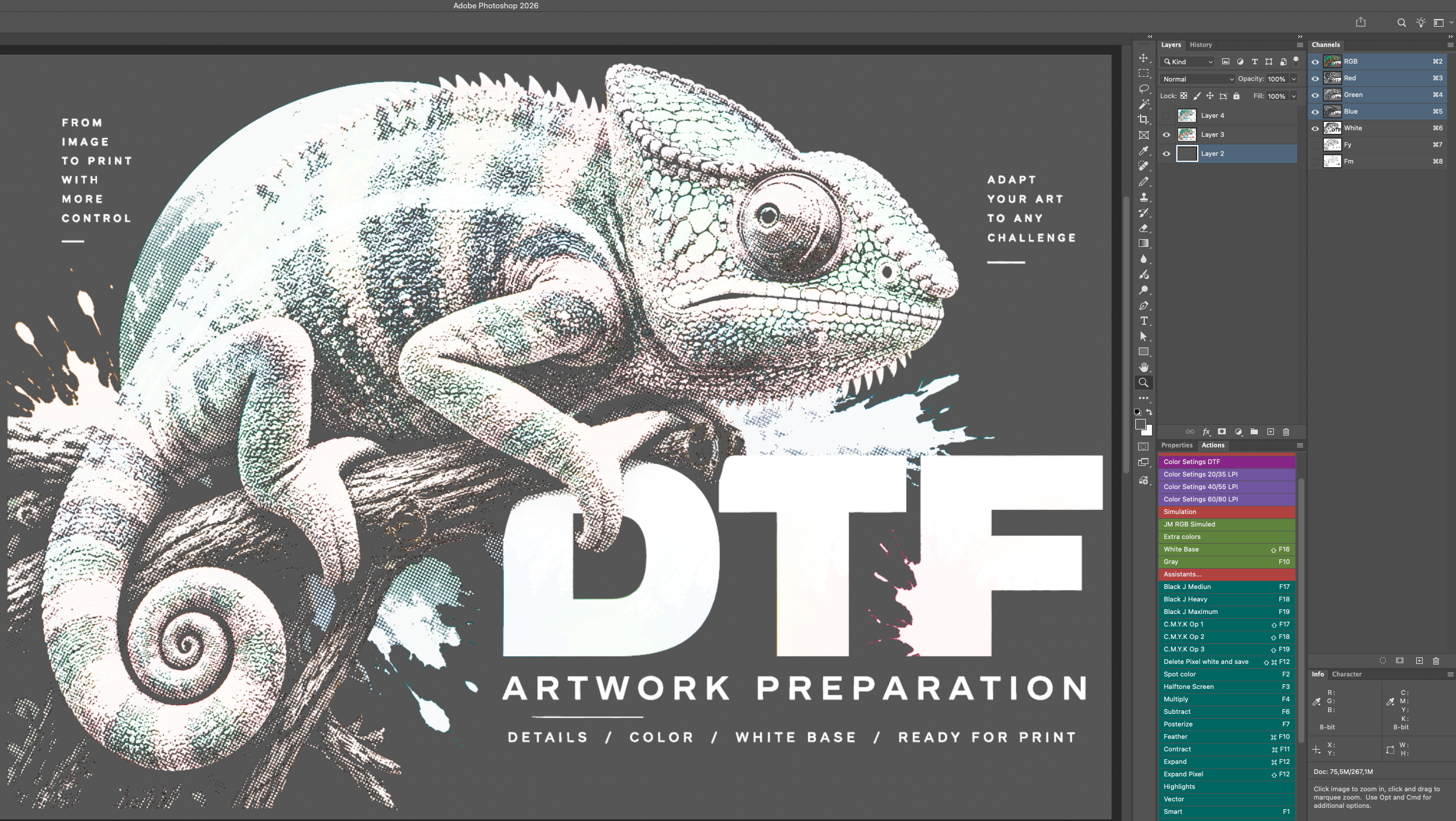
DTF Chameleon artwork preparation.
Study and test files for a DTF workflow, including image treatment, white-base control, halftones, and special Spot channels.
The folder includes:
- editable PSD files;
- DTF print files in PDF and PNG;
- original source images;
- AI-generated or reconstructed working files.
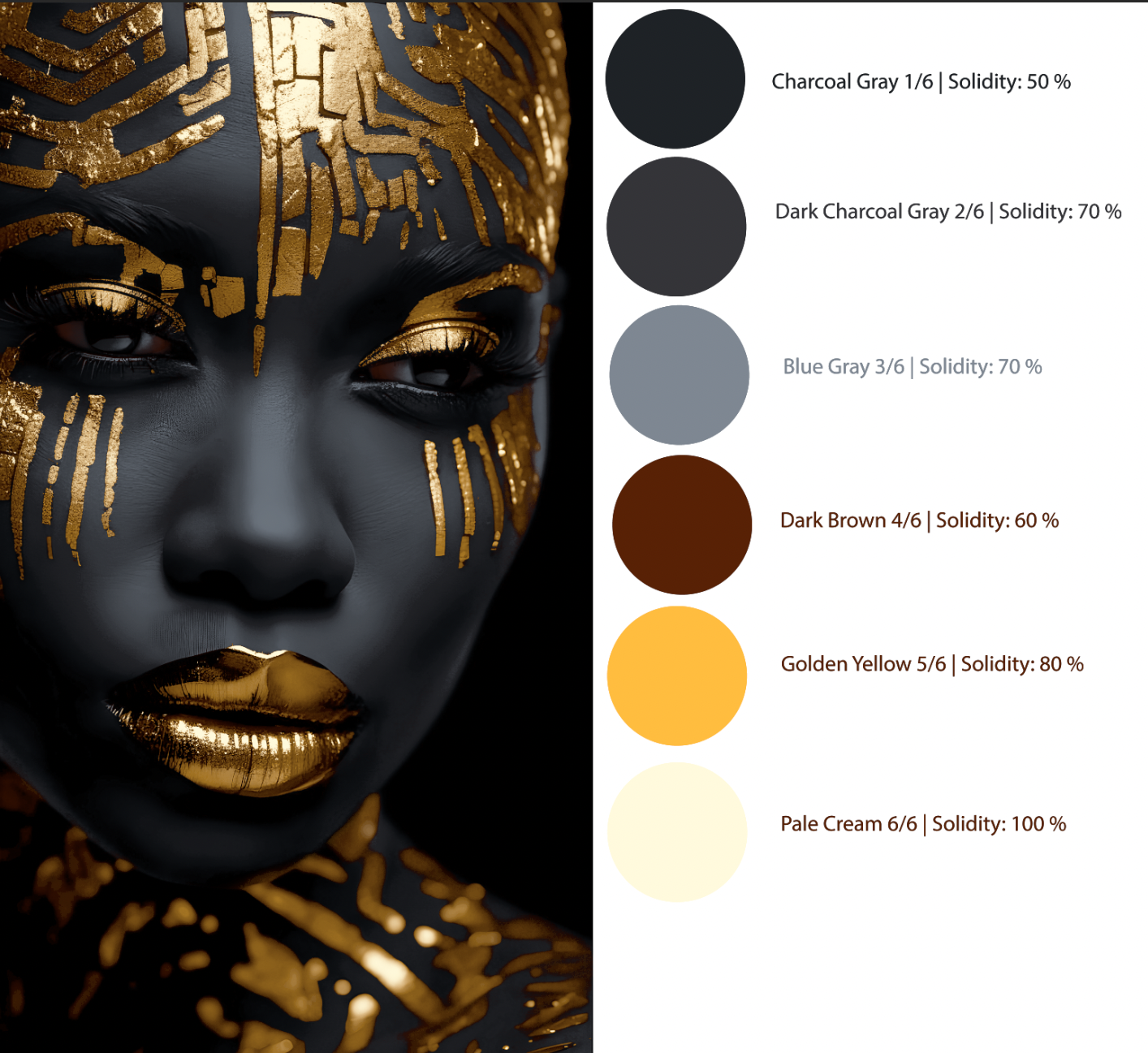
Golden Empress — Building from dark to light
Golden Empress is a color-separation study developed specifically for printing on black fabric, using six screens and no white underbase.
The image begins by using the black of the shirt itself as part of the deepest shadows. Different shades of gray then establish the facial volumes, while brown, golden yellow and pale cream develop the metallic details and brightest highlights.
The study shows how an image can be built progressively from dark to light, using contrast between the layers to create depth and the appearance of a golden shine.
The technical sheet shows the print sequence and the Solidity values defined for each color.
Print sequence · six screens
| Screen | Color | Solidity |
|---|---|---|
| 1/6 | Charcoal Gray | 50% |
| 2/6 | Dark Charcoal Gray | 70% |
| 3/6 | Blue Gray | 70% |
| 4/6 | Dark Brown | 60% |
| 5/6 | Golden Yellow | 80% |
| 6/6 | Pale Cream | 100% |
This study complements the article Two ways to build a layered image in screen printing, available in Knowledge.
Read the Knowledge article